

Getting set up
Unread count not showing on the Mac Dock icon
Your mail app knows how many emails are unread, but the Dock icon shows no number. It is one switch in Notifications.
5 min read

A fast, native Mac mail app that writes your replies, sums up long threads and clears out newsletters. Use Apple Intelligence on Macs that have it, or your own key for Claude, OpenAI, Gemini or Grok. No AI credits, and no server of ours in the middle.
Works withGmailiCloudYahooAny IMAP service
Watch the film
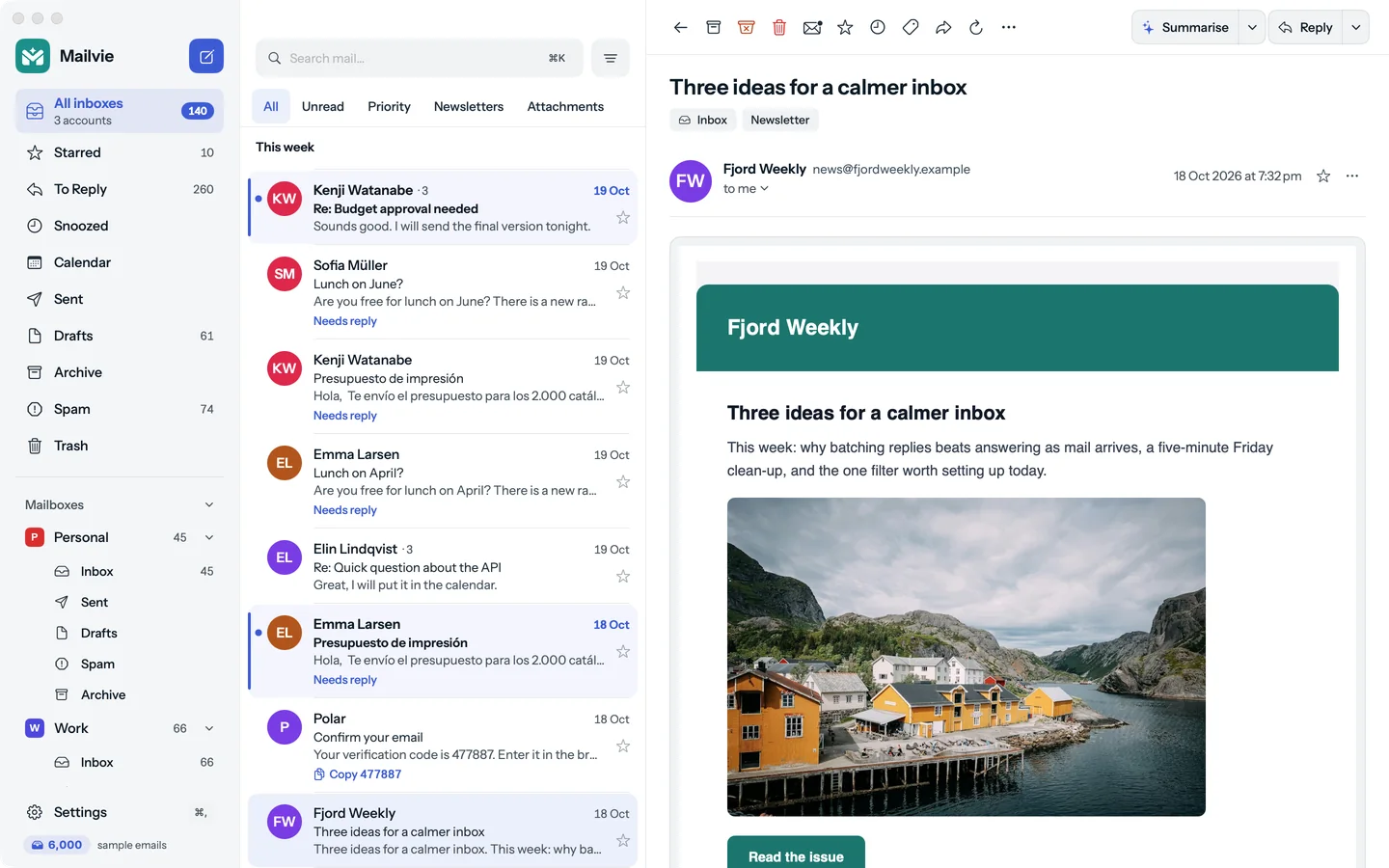
Filmed from the real app: a reply written in your tone, Polish and Expand, summaries in three lengths, drafts docked in the corner, newsletters, sign-in codes and warnings.
AI
Draft reply with AI writes it in front of you, in the tone you pick. Stop it any time; nothing is sent until you press Send. It runs on Apple Intelligence on Macs that have it, with no key and no AI bill, or on your own key, straight from your Mac and never through us.
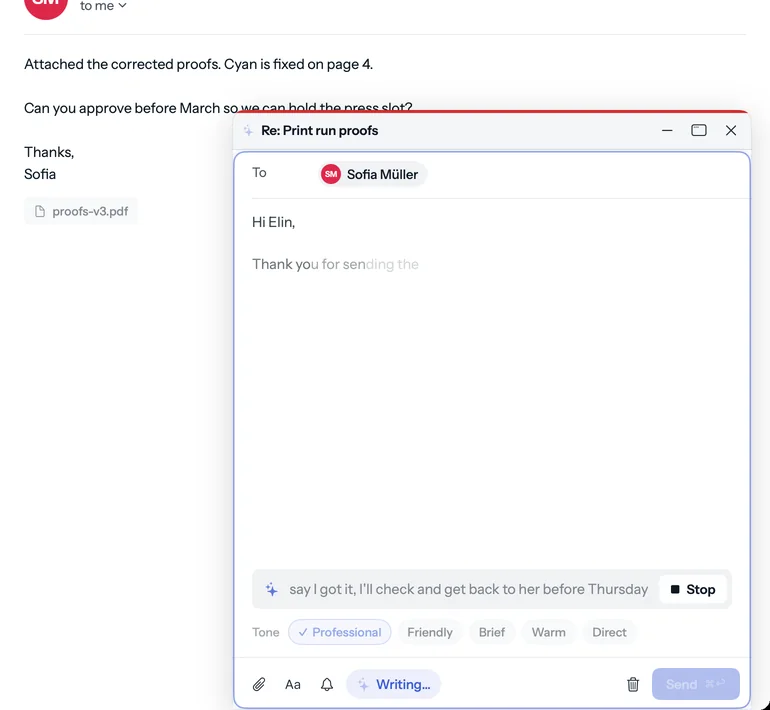
The points of a long thread, with its dates and amounts. Then Shorter, or Explain more.
Tap the mic and speak the reply. Recognition runs on your Mac.
Polish, Expand, Shorter, Friendlier or More formal, with every point kept.
Read mail in any language, and reply in theirs. With Apple Intelligence, on your Mac.
And the rest
Native, fast and light, built in Swift for the Mac. No web page in a window, and no account with us.
Write while you read
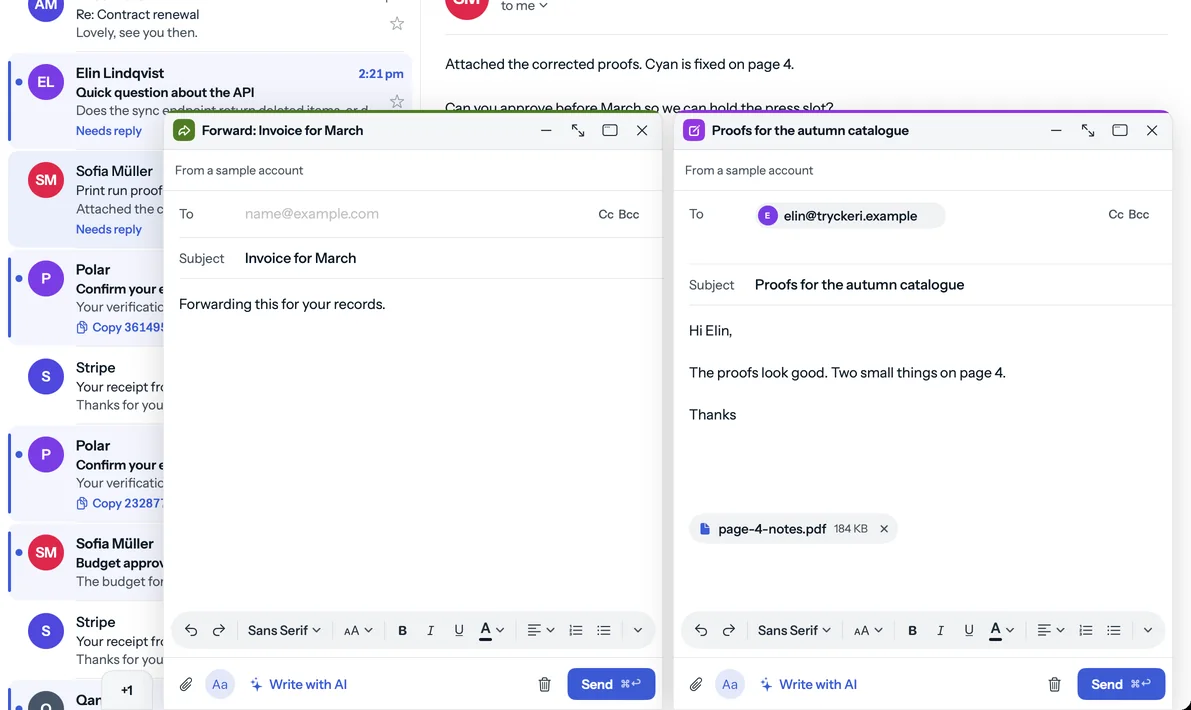
Replies and new emails open in the corner of the window, so the email you are answering stays in view. Keep several going at once.
Calendar
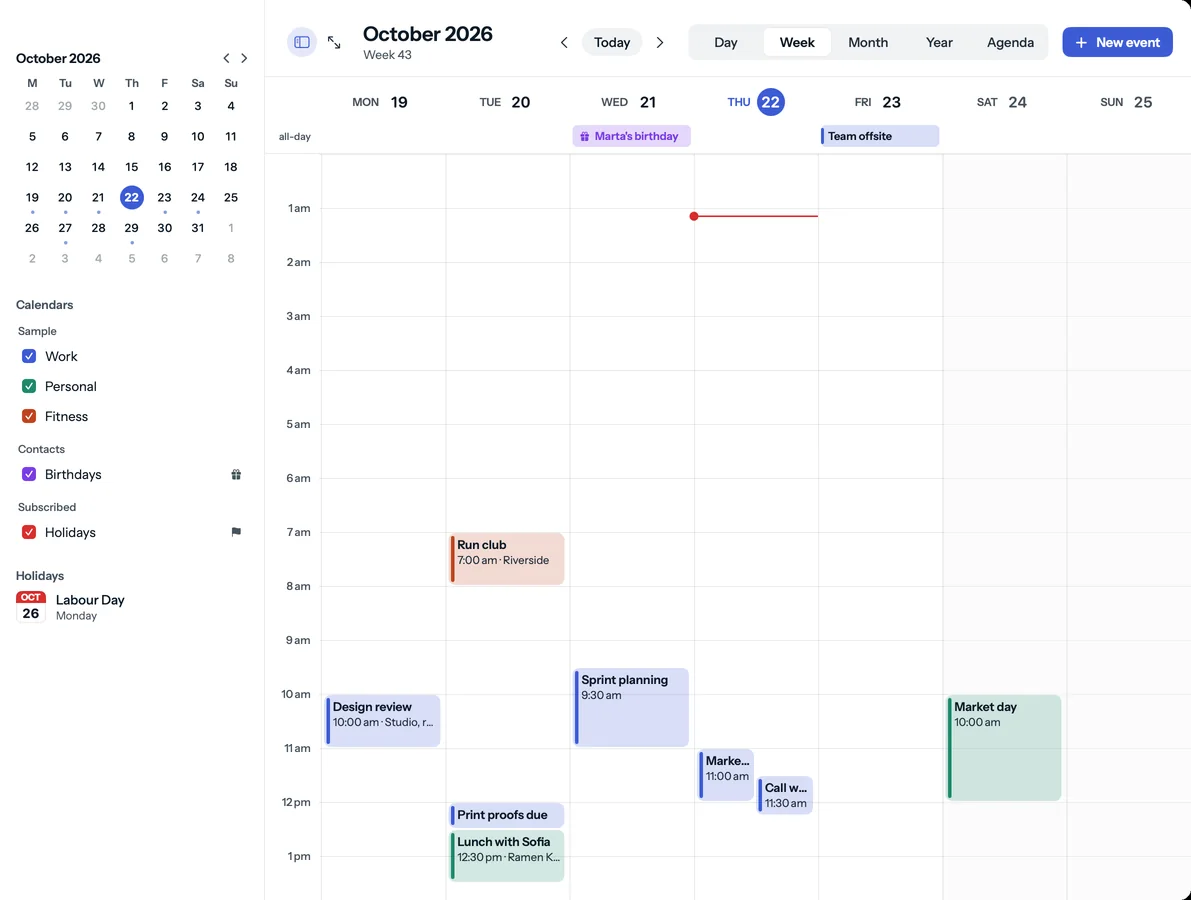
Day, week, month, year and agenda views of the calendars already on your Mac: iCloud, Google, Exchange and the rest, with nothing to sign in to. Free.
Subscriptions
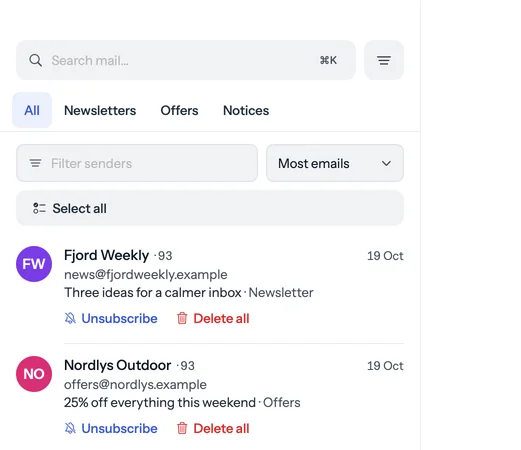
Every newsletter and mailing list in one place. Leave many of them in one go, and clear years of one sender's mail in one click.
Safety
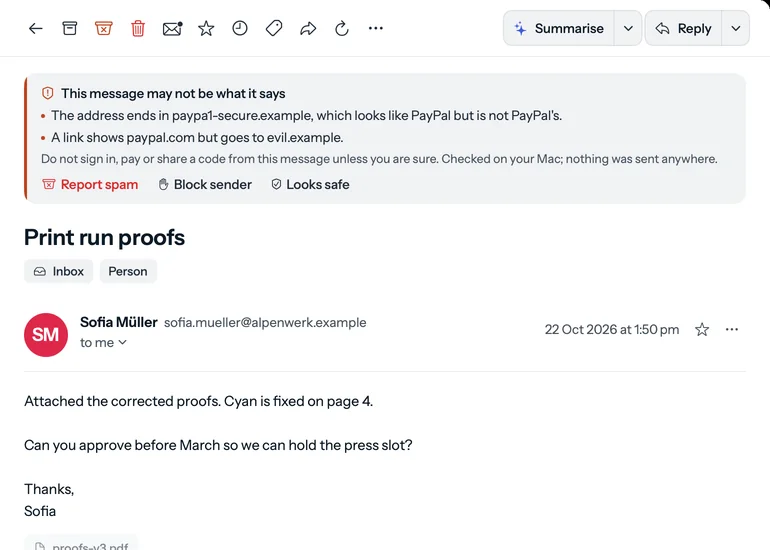
When an email is not what it says, Mailvie tells you why, above the email. The checks run on your Mac, and they are free.
Privacy
Many mail apps pass your mail, or the keys to it, through their own servers. Mailvie connects your Mac straight to your mail service and stays out of the way.
Your Mac
Mailvie
Your mail service
Gmail, iCloud, Yahoo, IMAP
A Mailvie server in the middle: there is none. We could not read your mail if we wanted to, and nobody can ask us for it.
Mail travels between your Mac and your mail provider. We run no server that could see your mail, contacts or passwords.
You sign in to your mail, not to us. A plan is a licence key, not a login.
Mail passwords, AI keys and your licence key are kept in the macOS Keychain and nowhere else.
The privacy page lists every connection the app makes and what is sent on each.
And also
Copy a code from the notification, or open the email and find it waiting at the top. ⇧⌘C copies it.
Invisible tracking images are taken out and tracking codes stripped from links. Other remote images ask first.
Every move has an Undo with a countdown, and a sent email waits for as long as you set before it leaves.
Put a message away until later, and get a sent email back when nobody answers. Kept on your Mac.
Tap the mic in any AI line and speak the reply. Recognition runs on your Mac; nothing is recorded.
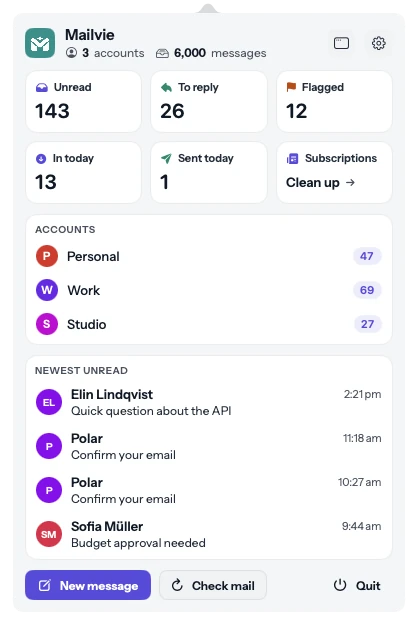
Unread count and the newest mail one click away, and mail keeps arriving with the window closed.
Pricing
Every plan unlocks the whole app. The monthly and yearly plans start with 7 days free. Reading, searching and writing your mail stay free, with no time limit.
$3.99per month
Pay month by month and cancel any time.
7-day free trial. Your card is not charged until the trial ends.
Start free trial$29.90per year
One payment a year. Works out to about $2.49 a month.
7-day free trial. Your card is not charged until the trial ends.
Start free trialLaunch offer
$19.99$39once
Pay once and keep Mailvie.
Launch offer until 12 Nov 2026, then $39. Code MAILVIE1999 is applied at checkout. No trial on this plan.
Buy lifetimeGuides
Step-by-step answers on setup, privacy and a calmer inbox.
Getting set up
Your mail app knows how many emails are unread, but the Dock icon shows no number. It is one switch in Notifications.
5 min read
Getting set up
Gmail refuses your normal password in most mail apps. Here is how to make an app password and the settings to type in.
5 min read
AI in your mail
How to use your own Claude, OpenAI, Gemini or Grok key for email summaries and replies, and what happens to your mail when you do.
5 min read
Questions
Gmail, iCloud Mail, Yahoo Mail and any mail service that offers IMAP, signed in with an app password. Two limits in this version: iCloud Mail can be read and searched but not sent from yet, and Outlook and Microsoft 365 sign-in is not built.
Read and search all your mail, write and format emails (sending needs a plan), use the calendar and the menu bar panel, open attachments, flag, archive or delete a conversation, and get phishing warnings and sign-in codes. That part is free with no time limit.
No. Mail travels straight between your Mac and your mail provider. We run no server that receives your mail, contacts or passwords, so there is nothing of yours for us to read.
With Apple Intelligence, nowhere: it runs on your Mac. With your own key, and only when you ask, the text of that conversation goes from your Mac straight to the AI provider whose key you saved. It never passes through us, and senders you exclude are never sent.
The monthly and yearly plans start with 7 days of the full app. You add a card when the trial starts and it is charged when the trial ends. Cancel before then and you pay nothing.
There are no AI credits to buy. On Macs that have Apple Intelligence, AI runs on the Mac at no extra cost. With your own key, your AI provider bills you for what you use. The AI features themselves come with a plan.
Get Mailvie
Reading and search are free. Sending, AI and the clean-up tools open with a 7-day trial. Needs macOS 14 or later on Apple Silicon or Intel.